
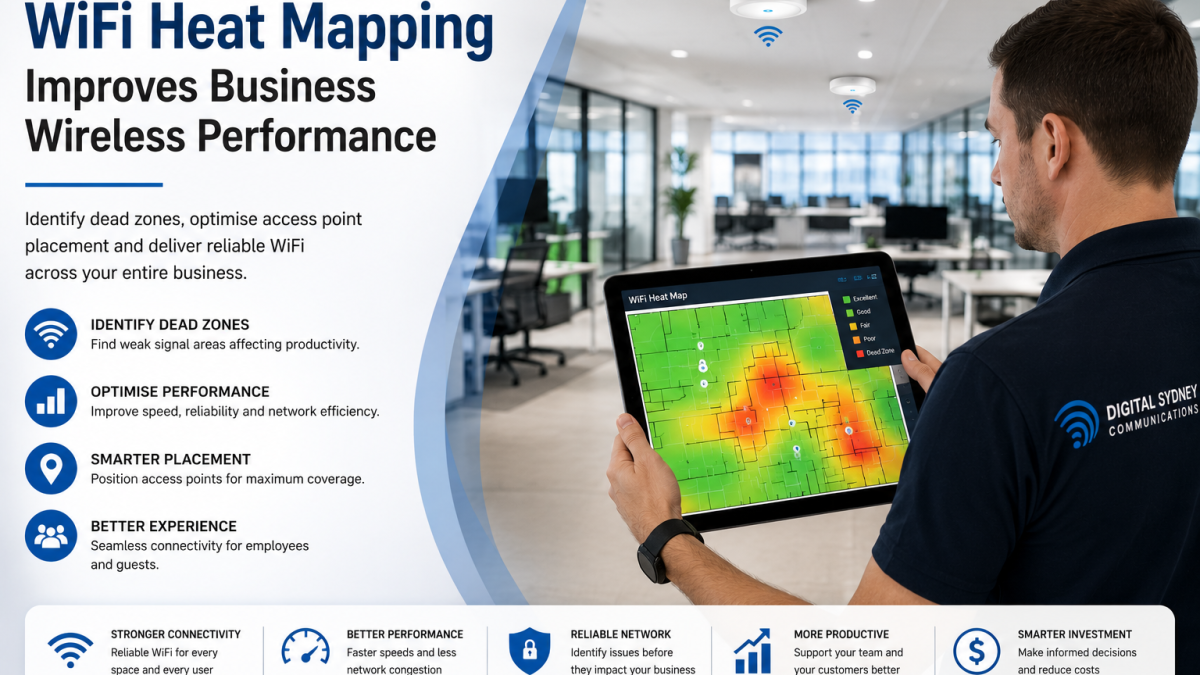
How WiFi Heat Mapping Improves Business Wireless Performance
WiFi Heat Mapping is one of the most effective ways to improve business wireless performance. Whether you operate an office, warehouse, shopping centre, healthcare facility, school, or commercial building, a strong and reliable WiFi network is essential for productivity, communication, and customer satisfaction.
Unfortunately, many businesses experience slow internet speeds, dropped connections, and WiFi dead zones without understanding the root cause. Simply adding more wireless access points doesn’t always solve the problem and can even create interference that reduces network performance.
A professional WiFi heat map provides a visual representation of wireless signal strength throughout your building. It helps identify weak coverage areas, sources of interference, and the best locations for wireless access points, allowing businesses to build a faster, more reliable wireless network.
In this guide, you’ll learn what WiFi heat mapping is, how it works, and why it’s an essential part of designing and optimising enterprise WiFi networks.
What Is WiFi Heat Mapping?
WiFi heat mapping is the process of measuring and displaying wireless signal strength across a building or commercial property.
Using specialised software and surveying tools, technicians create a colour-coded map showing areas with:
- Strong WiFi coverage
- Weak signal strength
- Dead zones
- Signal overlap
- Wireless interference
These visual maps help businesses understand exactly how their wireless network performs and where improvements are needed. Instead of relying on guesswork, WiFi heat mapping provides accurate data that supports better network design and optimisation.
How WiFi Heat Mapping Works
A professional WiFi heat mapping survey involves collecting wireless signal data throughout the property.
Technicians walk through the building using specialised equipment that measures:
- Signal strength
- Signal quality
- Network speed
- Channel utilisation
- Wireless interference
- Roaming performance
- Coverage consistency
The collected information is processed into a heat map using different colours to represent signal quality.
Typically:
- Green indicates excellent coverage.
- Yellow indicates acceptable performance.
- Orange indicates weaker coverage.
- Red highlights poor signal strength or dead zones.
These insights allow technicians to make informed decisions about network improvements.
Why Businesses Need WiFi Heat Mapping
Many organisations assume that installing additional wireless access points will automatically improve WiFi performance.
In reality, poor wireless performance can be caused by many different factors.
A WiFi heat map helps identify issues such as:
- Poor access point placement
- Building materials blocking signals
- Network congestion
- Channel interference
- Insufficient wireless coverage
- Signal overlap
- High-density user areas
By identifying these problems before making changes, businesses avoid unnecessary costs and achieve better long-term performance.
Common Causes of Poor Business WiFi Performance
Understanding the causes of wireless problems helps businesses make better infrastructure decisions.
Some of the most common issues include:
Poor Access Point Placement
Wireless access points installed in unsuitable locations may leave sections of the building with weak or inconsistent coverage.Strategic placement ensures strong, even coverage across the entire workplace.
Building Materials
Concrete walls, steel structures, glass partitions, and lift shafts can significantly weaken WiFi signals. Large commercial buildings often require additional planning to overcome these physical obstacles.
Wireless Interference
Nearby wireless networks, Bluetooth devices, cordless phones, and electronic equipment can interfere with WiFi performance. A heat mapping survey identifies interference sources so channels can be optimised.
Too Many Connected Devices
Modern workplaces support hundreds of laptops, smartphones, tablets, printers, security cameras, and IoT devices. Without sufficient network capacity, users may experience slower speeds and unreliable connections.
Outdated Network Equipment
Older wireless hardware may struggle to support today’s bandwidth requirements. Upgrading to enterprise-grade equipment often improves speed, reliability, and security.
Benefits of Professional WiFi Heat Mapping
A professionally conducted WiFi heat mapping survey provides valuable insights that improve network performance and user experience.
Eliminate WiFi Dead Zones
Heat mapping identifies areas with little or no wireless coverage, allowing technicians to optimise access point placement.
Improve Wireless Speeds
By reducing interference and improving signal quality, businesses often experience faster and more stable wireless performance.
Better User Experience
Employees, customers, and visitors enjoy more reliable connectivity throughout the building, improving productivity and satisfaction.
Reduce Network Congestion
Heat mapping helps distribute users more efficiently across wireless access points, reducing congestion during busy periods.
Support Future Growth
A properly designed wireless network can accommodate additional employees, devices, and business expansion without major infrastructure changes.
Improve Return on Investment
Instead of purchasing unnecessary equipment, businesses can make targeted improvements based on real network data.
Industries That Benefit from WiFi Heat Mapping
Almost every industry relies on dependable wireless connectivity.
Businesses that commonly benefit include:
Corporate Offices
Support hybrid work, video conferencing, cloud applications, and secure employee connectivity.
Warehouses and Distribution Centres
Provide reliable coverage for handheld scanners, inventory systems, and logistics operations.
Healthcare Facilities
Support connected medical equipment, electronic patient records, staff communications, and guest WiFi.
Schools and Universities
Ensure reliable connectivity for students, teachers, online learning platforms, and campus-wide wireless access.
Shopping Centres
Improve guest WiFi, retailer connectivity, mobile payments, digital signage, and smart building systems.
Hotels
Deliver strong wireless coverage for guests, conference facilities, smart room technology, and business operations.
When Should a Business Conduct a WiFi Heat Map?
A WiFi heat mapping survey is recommended when:
- Moving into a new office
- Expanding your workplace
- Renovating commercial premises
- Experiencing slow WiFi speeds
- Noticing frequent connection drops
- Installing enterprise WiFi
- Upgrading network infrastructure
- Supporting more connected devices
- Planning a smart building project
Conducting a survey before installation helps avoid costly mistakes and ensures the wireless network is designed for optimal performance from day one.
The Professional WiFi Heat Mapping Process
A professional WiFi heat mapping survey follows a structured process to ensure your wireless network delivers reliable performance throughout your building.
1. Site Assessment
The process begins with a detailed assessment of the building’s layout, construction materials, and business requirements. Technicians review floor plans, identify potential sources of interference, and understand how employees and visitors use the wireless network.
2. Wireless Signal Survey
Using specialised WiFi survey software and professional testing equipment, technicians walk throughout the property collecting data on:
- Signal strength
- Signal quality
- Coverage consistency
- Channel interference
- Network speed
- Roaming performance
- Access point performance
This information forms the basis of the WiFi heat map.
3. Heat Map Analysis
The collected data is transformed into colour-coded maps that clearly show:
- Strong coverage areas
- Weak signal locations
- Dead zones
- Areas of interference
- Signal overlap
- High-density usage areas
These visual reports make it easy to identify where improvements are required.
4. Network Optimisation
Based on the survey results, recommendations may include:
- Repositioning wireless access points
- Installing additional access points
- Adjusting antenna placement
- Optimising wireless channels
- Upgrading network hardware
- Reducing sources of interference
The goal is to achieve consistent, high-quality wireless coverage across the entire building.
How WiFi Heat Mapping Improves Enterprise WiFi
Enterprise WiFi networks support critical business operations every day. Poor wireless performance can affect productivity, communication, and customer satisfaction.
WiFi Heat Mapping helps improve enterprise WiFi by:
Delivering Consistent Coverage
Employees can move throughout the workplace without losing connection during video calls, cloud access, or online collaboration.
Improving Device Roaming
Properly positioned access points allow devices to transition smoothly between coverage areas without interruption.
Supporting High-Density Environments
Offices, schools, shopping centres, and conference facilities often have hundreds of connected devices. Heat mapping helps distribute network traffic efficiently.
Increasing Network Reliability
By identifying hidden issues before they become major problems, businesses experience fewer outages and more stable wireless performance.
Reducing Long-Term Costs
Optimising an existing network is often more cost-effective than purchasing unnecessary equipment or repeatedly troubleshooting the same issues.
Common WiFi Mistakes Businesses Make
Many wireless problems are caused by poor planning rather than faulty equipment.
Avoid these common mistakes:
- Installing access points without conducting a site survey.
- Assuming more access points always improve performance.
- Ignoring building materials that block wireless signals.
- Using outdated networking equipment.
- Placing access points too close together.
- Failing to monitor network performance over time.
- Not planning for future business growth.
A professional WiFi heat mapping survey helps prevent these issues before they affect your business.
Why Choose Digital Sydney Communications?
Digital Sydney Communications provides professional WiFi design, installation, and optimisation services for businesses across Sydney. Our experienced team helps organisations build wireless networks that deliver reliable coverage, strong performance, and room for future expansion.
Our services include:
- WiFi Heat Mapping
- Enterprise WiFi Installation
- Commercial WiFi Solutions
- WiFi Site Surveys
- Structured Cabling
- Fibre Optic Cabling
- Network Infrastructure Design
- Network Testing and Certification
- Ongoing Network Support
Whether you’re fitting out a new office, upgrading an existing network, or troubleshooting wireless issues, we provide tailored solutions that meet your business needs.
Frequently Asked Questions
What is a WiFi heat map?
A WiFi heat map is a colour-coded visual representation of wireless signal strength throughout a building. It helps identify strong coverage, weak areas, and WiFi dead zones.
How often should a business perform WiFi heat mapping?
It’s recommended before installing a new wireless network, after major office renovations, when expanding your premises, or whenever persistent WiFi issues occur.
Can WiFi heat mapping improve internet speed?
While it doesn’t increase your internet provider’s speed, it helps optimise wireless performance, reduce interference, and improve the user experience across your network.
Is WiFi heat mapping suitable for small businesses?
Yes. Businesses of all sizes can benefit from improved wireless coverage, whether they operate from a small office or a large commercial facility.
Does WiFi heat mapping help with enterprise WiFi?
Absolutely. It’s an essential part of designing enterprise WiFi networks that provide reliable coverage, seamless roaming, and strong performance in high-density environments.
Conclusion
WiFi Heat Mapping is one of the smartest investments businesses can make when designing or improving their wireless networks. Rather than relying on guesswork, heat mapping provides accurate data that identifies dead zones, interference, and coverage gaps before they become costly problems.
From offices and warehouses to shopping centres, schools, and healthcare facilities, a professionally designed wireless network delivers faster speeds, better reliability, and a superior user experience.
Digital Sydney Communications specialises in WiFi Heat Mapping, Enterprise WiFi Installation, Structured Cabling, and Commercial Network Infrastructure, helping businesses across Sydney build secure, scalable, and high-performing wireless networks that support long-term growth.